
1. Log into Outlook Web App at https://na02.msexchangeoutlook.com
2. Select Calendar in the top right corner.

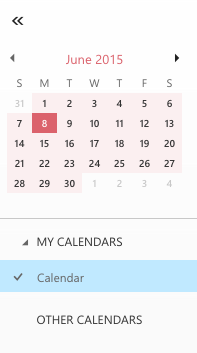
3. In the left-hand navigation pane, select the calendar you would like to share.
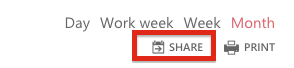
4. Click Share in the upper right corner.
5. In the Share with field, enter the recipient's e-mail address.
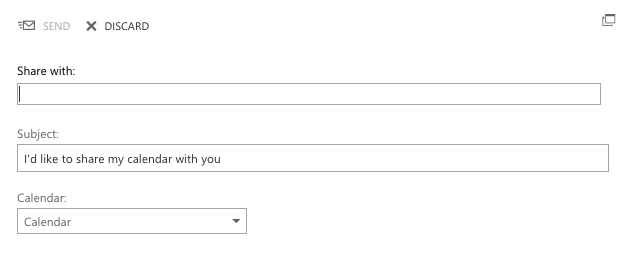
6. Select the calendar content that you would like to share.
7. Enter a Subject.
8. Click Send.
7. Enter a Subject.
8. Click Send.
