
Adding Holidays To The Outlook 2011 Calendar

The following article will assist the user in adding holidays to the Outlook 2011 calendar.


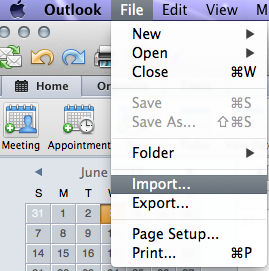
1. Located on the top Navigation Bar, Select File then Import.


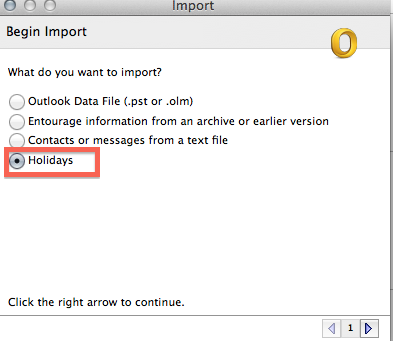
2. From the Import screen, select Holidays and press the right arrow to continue.


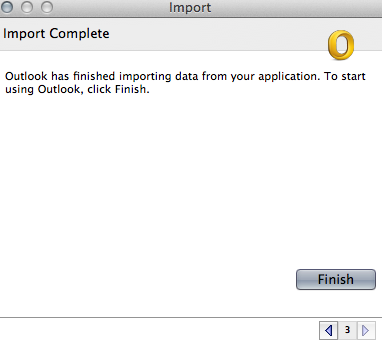
3. Once the Holiday sets have been loaded, select the Country or Region's Holiday set you wish to be imported to your Calendar.


4. Select OK when you have finished.


  • 0 Usuários acharam útil
Esta resposta lhe foi útil?

Artigos Relacionados

How to Create a Meeting in Outlook 2011

How to Create a Meeting: 1.  At the bottom of the navigation pane, Click the Calendar button....

Creating An Appointment Within Outlook 2011

The following article will assist the user in creating appointments using Outlook 2011 for...

Creating Contacts Within Outlook 2011

The following article will assist the user in creating Contacts within Outlook 2011.    1....

Create, Edit, or Deleting a Task in Outlook 2011

The following article will assist the user in creating, editing or deleting a task.     1....
