
The CanIt SPAM software has its own set of preferences that can be set by the user.
1) Log in using your credentials at the provided URL: https://antispam.roaringpenguin.com/canit/index.php
2) Once logged into the CanIt software, in the main menu select "Preferences". You will now have several menu options for several message rules.
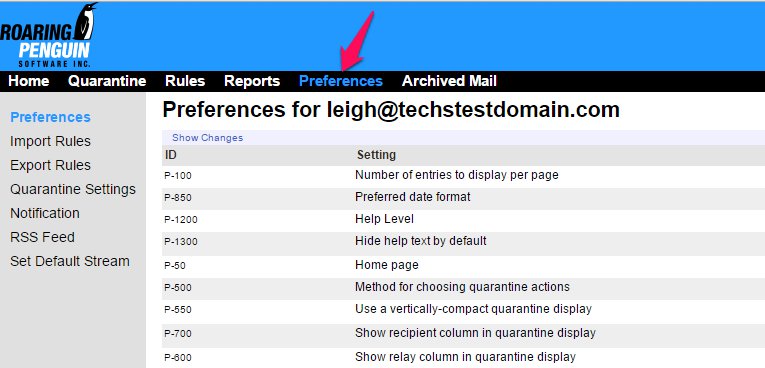
3) 'Preferences' are for individual CanIt settings.
4) 'Import / Export Rules' - For importing and exporting rules.
5) 'Quarantine Settings' - Use this section to adjust how the quarantine filters and displays messages.
6) 'Notification' - Here you can change when notifications are sent to the user.
7) 'RSS Feed' - RSS settings for message stream. Use this to add a quick feed of your quarantine in any mail or RSS program.
8) 'Set Default Stream' - Set the default message quarantine stream.
