
This article will guide you through changing the notification settings for messages trapped in Roaring Penguin.
CanIt Software will only send out notifications at the desired time if new messages have arrived in the trap since the last notification was sent.
1) Log in using your credentials at the provided URL: https://antispam.roaringpenguin.com/canit/index.php
2) Once logged into the CanIt software, in the main menu select "Preferences". Then select Notification.
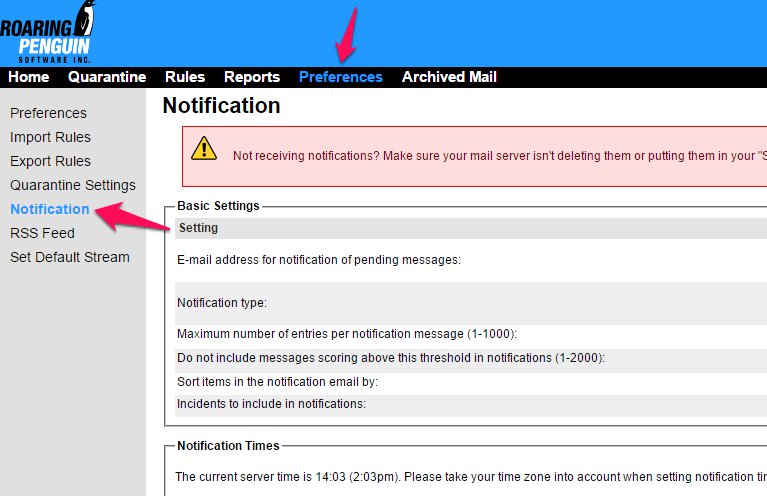
3) Under Basic Settings, there are a variety of options including the type of notifications you would like to receive and how the notifications are sorted.
4) Under Notification Times, you can select when you would like notification messages to be sent to you.
5) You may also set the days you would like to receive notification messages in the Notification Days section.
6) Click Submit Changes.
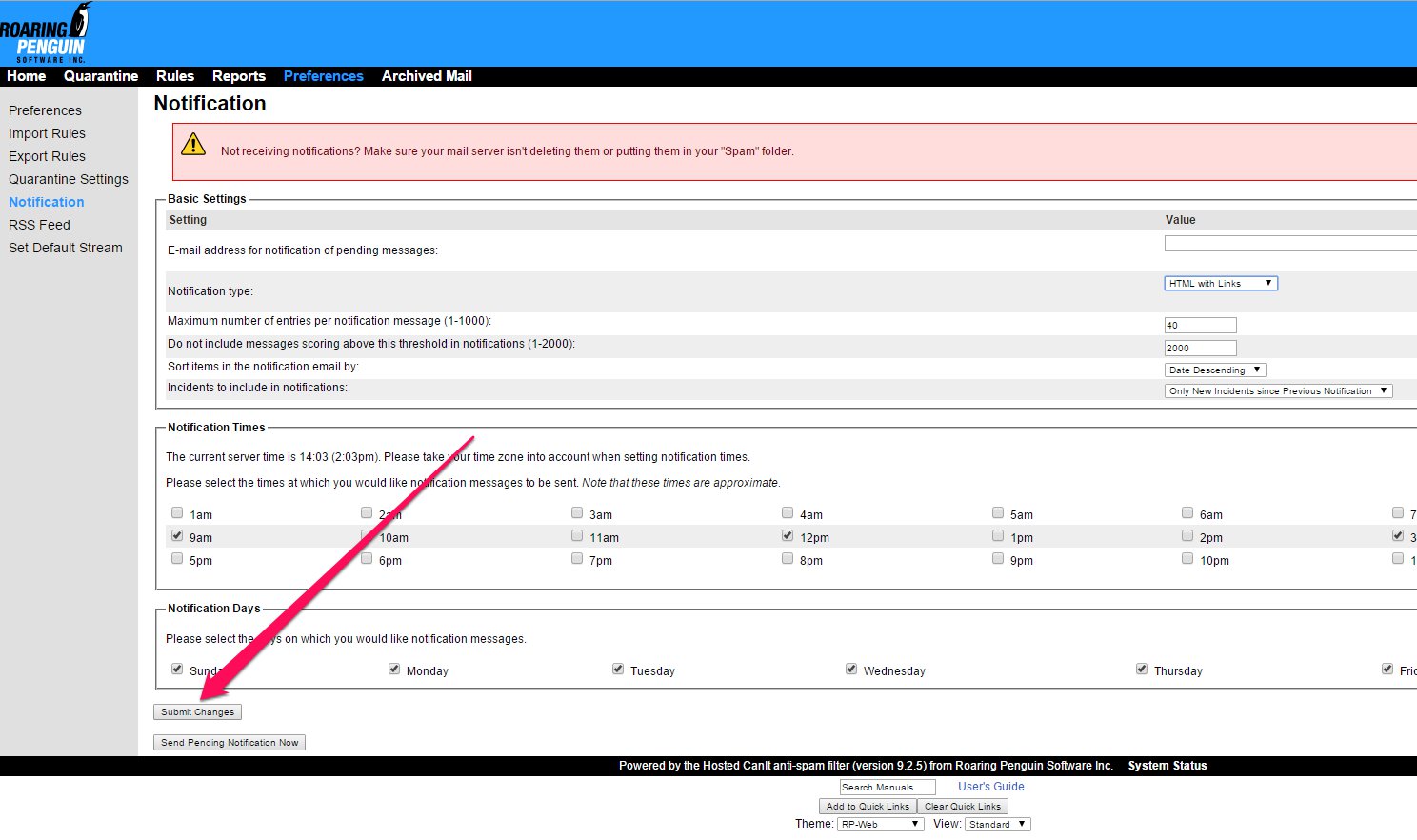
Selecting "Send Pending Notification Now" will send a copy of the current report to your inbox.
Please Note: At this time, the Time Zone setting cannot be changed.
