
This article will guide you through adjusting your quarantine preferences for the CanIt SPAM software. These settings will affect the way your mail is filtered and can be reset to the default options by selecting the "Forget my settings" button.
1) Log in using your credentials at the provided URL: https://antispam.roaringpenguin.com/canit/index.php
2) Once logged in, click on the "Preferences" menu item , followed by the "Quarantine Settings" menu item.
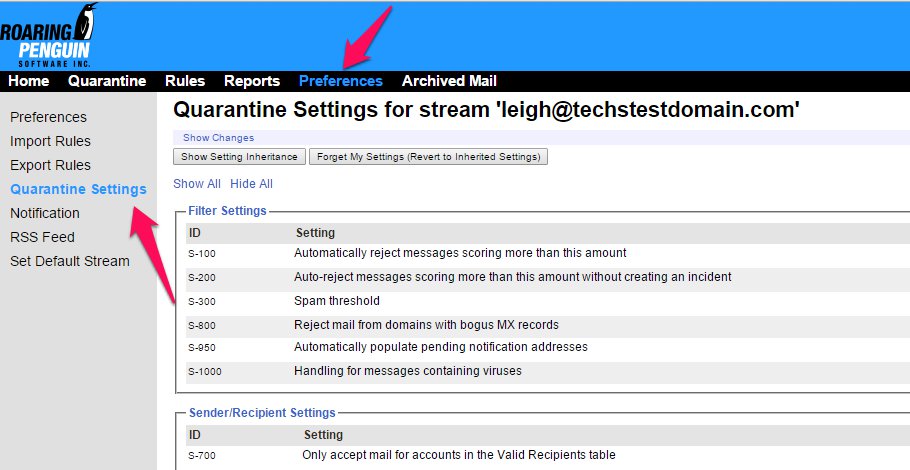
3) On this page you can select from several different options including :
Filter Settings - Basic filter settings for number of messages filtered, and actions taken for these messages.
Sender/ Recipient Settings - Whether to check for valid SPF records of senders. and Valid Recipients.
Tag Settings - Whether to hold or deliver SPAM messages.
Tempfail Settings - How often the re-sending of a message can be attempted from unknown senders.
Auto White-listing - Whether to allow white-listing automatically and for how long.
Bayes Settings - Bayes SPAM score settings.
Once each setting is set select the "Submit Changes" button at the bottom of the page to save your settings.
