
Selecting a Theme in Outlook Web App 2013

With the new Outlook Web app, you may choose several themes each with different designs and color schemes. 


1. Log into Outlook Web App at https://na02.msexchangeoutlook.com/

2. In the upper right hand corner, click the Options icon.



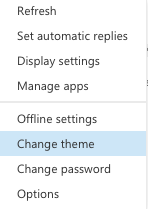
3. Click Change theme.


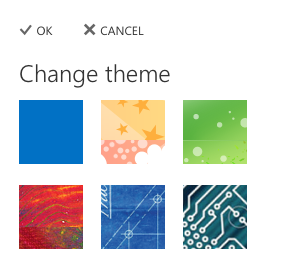
4. Select the desired theme.


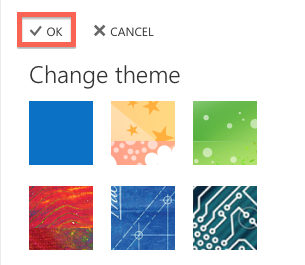
5. Click OK.


  • 1 Utilizadores acharam útil
Esta resposta foi útil?

Artigos Relacionados

What’s New In Exchange 2013

Outlook Web App: Offline access   Offline access lets users write messages from their...

Recommended Browser For Outlook Web App 2013

Outlook Web App (OWA) is an excellent way to check your Microsoft Exchange e-mail from a web...

Checking the Mailbox Size In Outlook Web App 2013

If you have a Full Access or a Web Access level mailbox, you are able to check your current...

Managing Mobile Devices In Outlook Web App 2013

The following article will assist the user in accessing information regarding an ActiveSync...

Recovering a Deleted Item in Outlook Web App 2013

The following article will assist you in recovering a deleted item within OWA:      1. Log...
