
This article will help you to adjust the SPAM level for your mailbox with the CanIt SPAM software. These settings will affect the way your mail is filtered and can be reset to the default options by selecting the "Forget my settings" button.
1. Log in using your credentials at the provided URL: https://antispam.roaringpenguin.com/canit/index.php
2. Once logged in, click on the "Preferences" menu item , followed by the "Quarantine Settings" menu item.
3. Under these settings are several different sections, this article pertains to the SPAM threshold setting. Here you can adjust the level of filtration based on the score of the message.
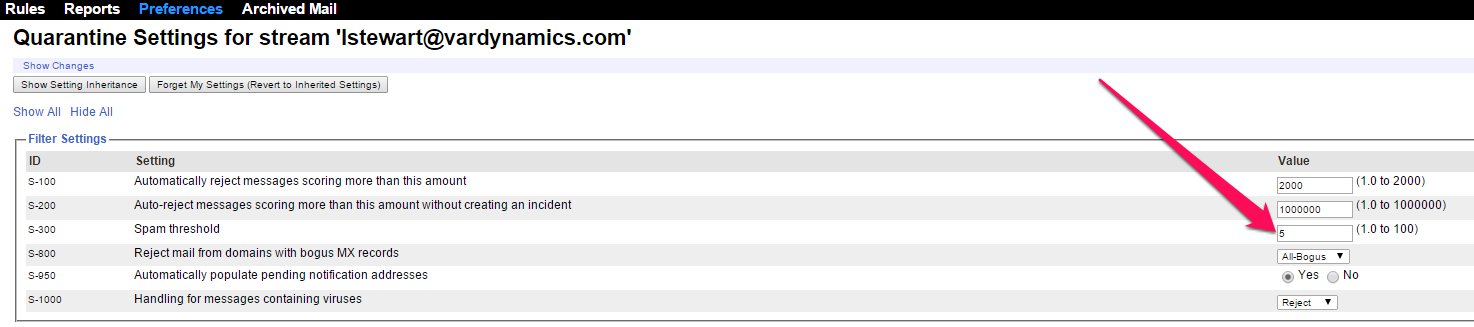
4. The hosted CanIt will hold any messages scoring higher than this amount. The default value of 5 has been carefully tuned to minimize errors. The range is from 0 to 100.
Note : Even small changes to this setting can have large and nonlinear effects. If you do change the spam threshold, change it by a small amount (such as 0.2 points) at a time. Wait for a day or so after any change to observe the effects before making any further changes.
