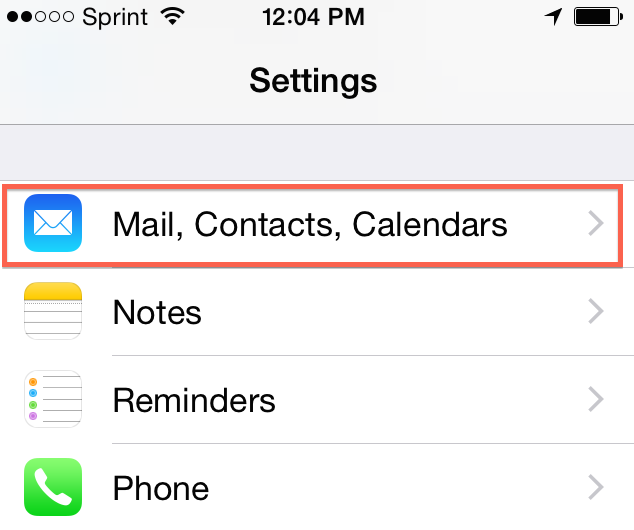
1. On the iPhone, Open Settings app.
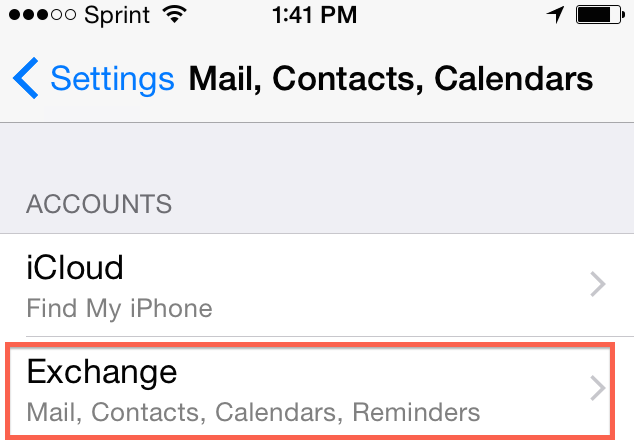
2. Select Mail, Contacts, Calendars.
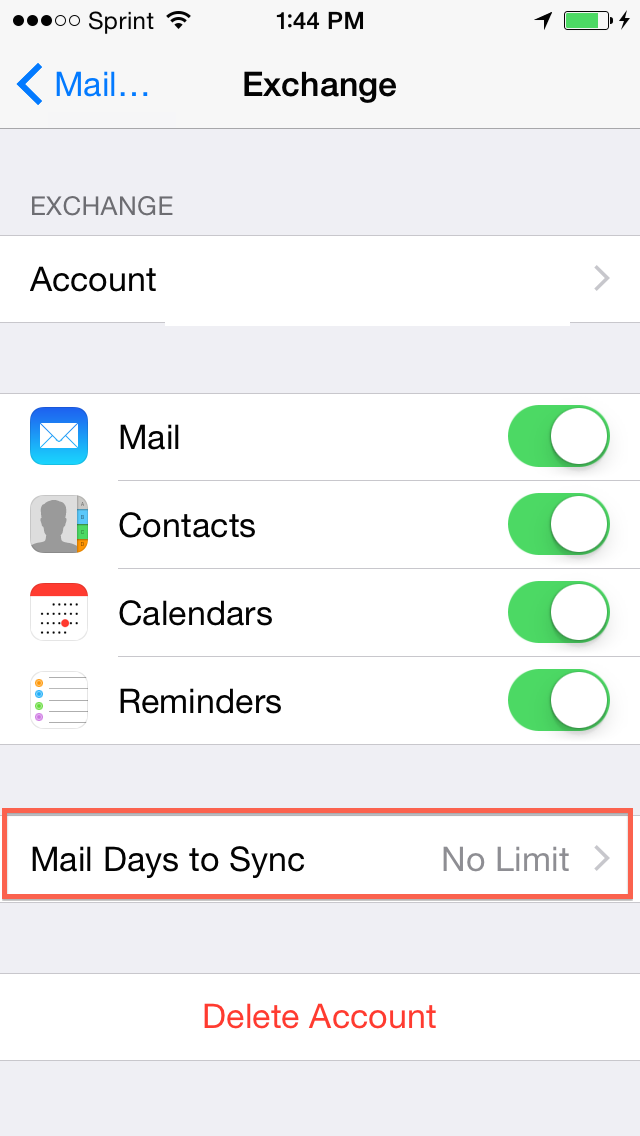
3. Under Accounts, Select your Exchange account.
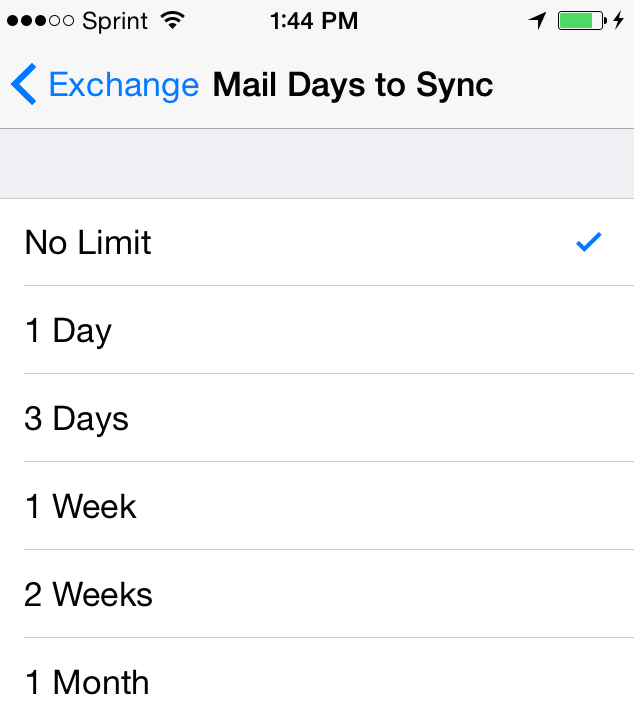
4. Scroll down to Mail days to sync.
5. You may now select the option best suited for your needs.
The following guidelines will assist you in removing your Hosted Exchange account from an...
This article will assist the user in configuring an iPhone with your Zimbra mailbox....
The following article will assist users in setting up an IMAP account using Exchange 2013....
The iPhone and iPad uses Microsoft Exchange ActiveSync, to push your Mail, Contacts, and...
The iPhone 4.0 + and iPad 2 uses Microsoft Exchange ActiveSync, to push your Mail, Contacts,...
تمامی حقوق برای © 2026 SeattleServer.com, Inc.. محفوط می باشد.