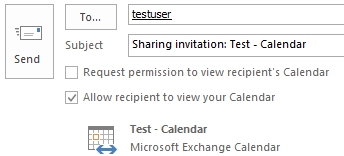
Microsoft Exchange allows any users to share their mailbox content with any other user within their organization. Using Outlook 2013, the following illustrated steps will show you how to assign an exchange user sharing permissions to a Folder, Contact List and Calendar.
Assigning Permission
By default Outlook will assign Editor permission when attempting to share mailbox items using Delegates. These permissions are set to the default items such as the Inbox, Contacts, and Calendar sections. However, single Folders, Contact Lists and Calendar s can be shared using individual assigned permissions.
Sharing Folders
1. Open your Outlook 2013 Client.
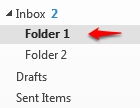
2. To share a folder or sub-folder, highlight the desired folder and select the Folder Tab.
|
|
|
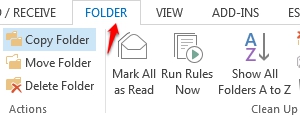
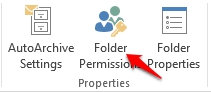
3. Within the Folder Tab, locate the Properties group and click the Folder Permissions.
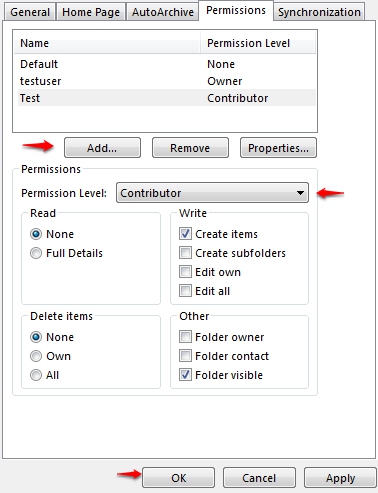
4. When the Folder Permission window appears, select Add to search the Global Address List for the user you wish to share your folder with. Once selected. adjust the Permission Level presets or click the individual permissions you wish to set.
Sharing a Contact List
1. Click the People button located in the bottom left corner of Outlook.

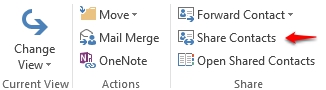
2. To share a Contact List, locate he Share group within the Ribbon and click the Share Contacts button.
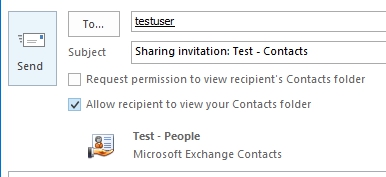
3. A new sharing invitation will appear. Click the To.. button to select the user from the Global Address List. Once selected the preset permissions will be sent within the notification.
Sharing a Calendar
1. Click the Calendar button located in the bottom left corner of Outlook.

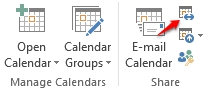
2. To share a Calendar, locate he Share group within the Ribbon and click the Share Calendar button.
3. A new sharing invitation will appear. Click the To.. button to select the user from the Global Address List. Once selected the preset permissions will be sent within the notification.