The recall feature in Microsoft Outlook 2013 attempts to stop delivery and, optionally, replace an email message that you have already sent to another Microsoft Exchange Server user within your organization. Message recall is available after you click Send and then realize that you forgot to attach a file, include information in the message, or want to revise what was originally sent.
Note: It is not possible to a recall messages sent to email addresses outside of your organization. Additionally, If the recipient has already opened the message it cannot be recalled.
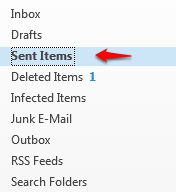
2. To recall a recently sent item, Select Sent Items from the left panel and double-click the message to open it.
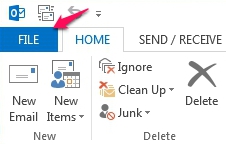
3. Click on the File tab.
4. Under Info, you will find the Message Resend and Recall features. Click the drop-down menu and select whether to Resend or Recall the recently sent message.

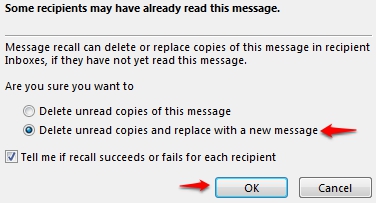
5. When Recall is selected, the Recall This Message dialog box appears. Choose the behavior to take place when the message is recalled.
- Delete unread copies of this message - The sent message will be deleted when the recall is successful.
- Delete unread copies and replaces with a new message - The sent message will be deleted and replaced with an edited message.