
Viewing E-mail Message Headers


In an e-mail, the body (content text) is always preceded by header lines that identify particular routing information of the message, including the sender, recipient, date and subject. Some headers are mandatory, such as the FROM, TO and DATE headers.


1.
Open your Outlook 2013 Client.


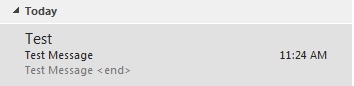
2. Within Outlook 2013, double-click on the email in question to open it in a new window.


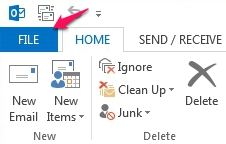
3. Click on the File tab.


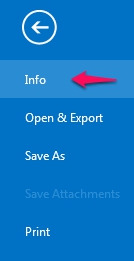
3. Click Info.


4. Click the Properties button.
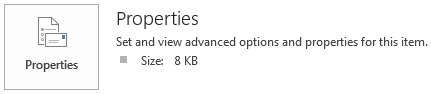


5. The E-mail headers will be located in the Internet Headers box. To copy the header information, Right-click anywhere within and click "Select All", right-click again to select "Copy".


  • 0 Bu dökümanı faydalı bulan kullanıcılar:
Bu cevap yeterince yardımcı oldu mu?

İlgili diğer dökümanlar

Outlook 2013 System Requirements

  The following are the minimum system requirements for Outlook 2013. Processor 1...

Outlook 2013 Command Line Switches

  Outlook Command Line Switches may be used to clear errors within Outlook caused by...

The Difference Between 32-bit And 64-bit Versions Of Outlook 2013

  What are the differences between the 32-bit and 64-bit versions of Microsoft Office Outlook...

What's New in Microsoft Outlook 2013

  Would you like to view some of the features included with the newly released version of...

Microsoft Exchange 2013 NDR - Non-Delivery Reports

  Are you receiving a Bounce back (NDR - Non-Delivery Report) when sending an email message? We...